
Every dojo has the same two minutes. Class is supposed to start, half the students are still tying their belts, and you are standing at the front with a clipboard reading names out loud while the students who arrived early wait. That works well enough with a class of children.
The other version is worse. Class ends, everyone leaves, and you fill in the register afterwards from memory: in the changing room, that evening, or the next day. By then you are reconstructing who was on the mat, and somebody always gets forgotten.
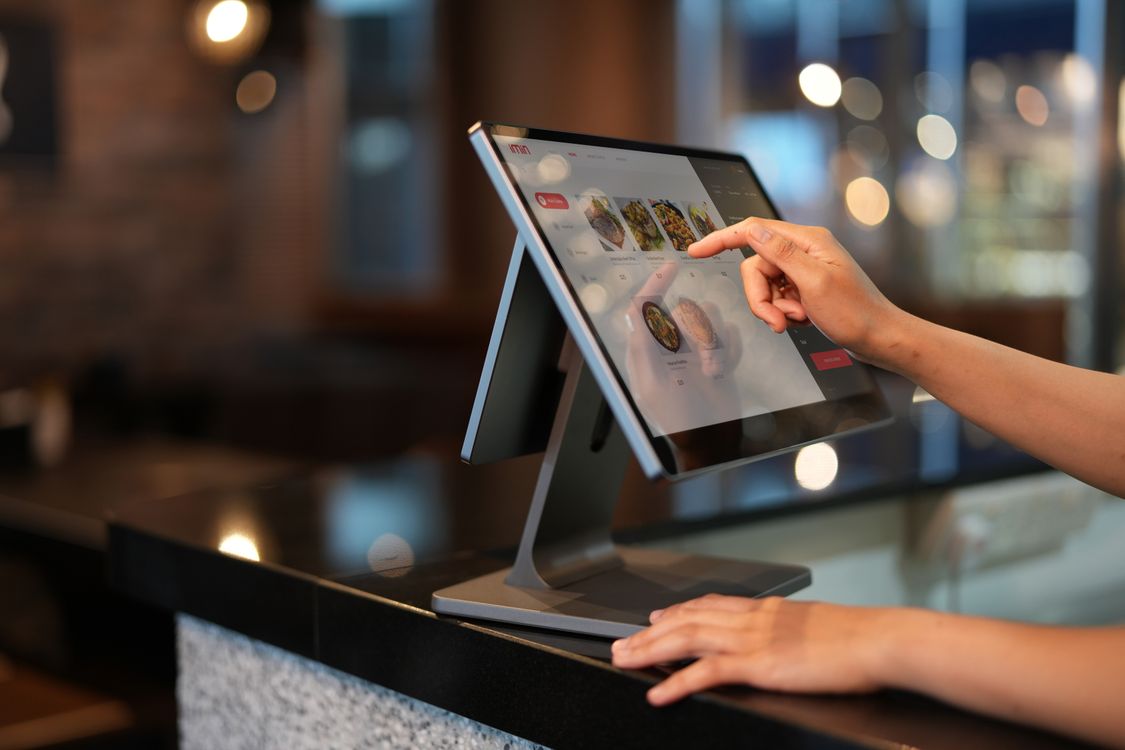
A check-in kiosk moves that job to the door. A tablet on the wall shows tonight's classes, each student taps or scans themselves in on the way past, and the register is finished before you step onto the mat.
Key Takeaways
- Students identify themselves at a tablet by the door, usually by searching their own name, and attendance is recorded as they arrive.
- Self-service kiosks in other sectors reliably speed up identification, with mixed results on downstream waiting, and they perform badly when asked to make judgement calls (JMIR systematic review, 2025).
- The attendance record is the point. In a UK study of new fitness members, mean visits fell from 7.48 in month one to 0.92 in month twelve, and what predicted a member's fourth-quarter attendance was the pattern of their early training, not the total (Rand et al., Psychology of Sport and Exercise, 2020).
- Hardware is the small cost: an entry-level Android tablet costs roughly €150-200 new in Europe, a base 11-inch iPad is $449 in the US and €499 in Germany, a used device costs about half that, and an old tablet you already own works fine to start (Samsung DE, Apple US and Apple DE).
- European dojos should avoid fingerprint and face check-in: it is special category data under GDPR Article 9, regulators in Sweden, Poland and the UK have acted against this use case even where consent had been given, and Spain's AEPD treats it as high-risk processing.
If you are still deciding how to run attendance at all, the broader guide to dojo management covers where check-in fits alongside scheduling, billing and belt tracking.
What Kiosk Check-In Actually Is
Kiosk check-in is a screen at your entrance running one dedicated application. It is not a member app and not a staff computer. Its only job is to let whoever walks through the door say "I am here" without talking to anyone.
A usable dojo kiosk does four things: it displays today's classes with the one starting now marked clearly, identifies the student, writes an attendance record, and confirms the check-in so the student knows it worked.
The identification step is where the real design choice sits. There are three practical methods, and most schools end up offering two.
Note the direction of the QR flow, because it is the opposite of what most people picture. The screen shows the code and the student's phone reads it, not the other way round. That also means QR alone cannot serve a child without a phone, which is why a tap-based method belongs underneath it.
Why It Works: Three Things a Clipboard Cannot Do
It removes the bottleneck at the door
Self-service check-in is well studied outside martial arts, and the honest version is more interesting than the marketing version.
A 2025 systematic review in the Journal of Medical Internet Research pooled five studies of check-in kiosks in emergency departments in Canada, the UK and the US. Uptake was high, reaching 97% of attendees in one study, but the effect on waiting varied: one study found a 56.8% reduction in time to physician, while another found only a four-minute improvement in time to first identification and no significant change in downstream waits once adjusted (Lammila-Escalera et al., JMIR, 2025).
That transfers directly enough to a dojo. A kiosk reliably takes the identification step off your hands. It will not make class start on time if the real delay is the previous class running over.
The same review found something more pointed: where kiosks were asked to exercise clinical judgement rather than record an arrival, they did poorly, with over-triage rates of 59.2% and 65%. A kiosk should record who walked in. It should not decide who is ready to grade, who is behind on fees, or who needs a conversation. Those are yours.

It turns attendance into a retention signal
This is the part most dojo owners underrate. A kiosk is not really an admin tool. It is the sensor that makes your retention problem visible while you can still do something about it.
In a longitudinal UK study of new health and fitness members, mean attendance fell from 7.48 visits in month one to 0.92 in month twelve, and only 22% were still attending at twelve months. What predicted fourth-quarter attendance was not how much someone trained in total: it was their frequency in the first quarter and whether their training context stayed stable in month three, meaning the same day, time and venue (Rand et al., Psychology of Sport and Exercise, 2020).
A nine-year review of one Brazilian fitness centre's records points the same way: 63% of new members had stopped before their third month (Sperandei et al., Journal of Science and Medicine in Sport, 2016).
These are fitness studies, not martial arts studies, and they should be read as the closest available evidence rather than as measurements of your dojo. No independent research body publishes martial-arts-specific check-in or attendance statistics; every number in circulation traces back to a software vendor. I would rather tell you that plainly than quote you something invented.
What they point at matches what the first 90 days looks like in practice: the student who quietly slides from three sessions a week to one is the one you are about to lose, and you will not notice from memory. You notice from a record, and the kiosk produces that record as a side effect of getting people through the door.
It works for every age in the room
A dojo is not a gym. On a Tuesday evening you may have seven-year-olds, teenagers, and a 68-year-old who has trained longer than you have been alive. A phone-only check-in system quietly excludes at least two of those groups.
Name search needs no phone, no app and no account. A child can tap their own name. That inclusiveness is the practical reason most dojos end up offering a tap-based method alongside QR, rather than picking one.

Self-service is also simply becoming the norm people expect. Across the aviation sector, IATA's 2025 Global Passenger Survey of more than 10,000 travellers found electronic bag tag use rising from 28% to 35% in a single year, and digital wallet payment from 20% to 28% (IATA, 2025). Handling your own arrival is no longer an unfamiliar ask.
What a Kiosk Actually Costs
The software is usually bundled with your school management system. The hardware is a tablet, a stand or wall mount, and a power cable that reaches.
The iPad prices come from Apple's own US and German stores, the US Android price from Samsung's US product page, and the German Android list price (€179 for the 64 GB Wi-Fi Tab A11, €229 for 128 GB) from Samsung Germany's launch announcement. In European shops the Tab A11 regularly sells for €150-200. Two notes before you compare the columns. European prices include VAT and US prices do not, so the €499 against $449 gap is narrower than it looks once 19% German VAT comes out. And the "new" columns are just that: a used or refurbished tablet typically costs about half, and a kiosk that only ever runs one app does not need the latest model.
You will also need a stand or a wall mount, which varies too much by model and by whether it locks for me to quote you a useful number.
An old tablet you already own is an even cheaper starting point. I would not buy anything until you have run check-in for a month on whatever is lying in a drawer. For how this sits against everything else you pay for, see the breakdown of what it costs to run a martial arts school and the dojo software pricing comparison.
How to Set Up Kiosk Check-In, Step by Step
Pick your identification methods from the table above rather than enabling everything. Then work through these four steps.
Step 1: Find the right spot for the tablet
The kiosk only works if every student passes it on the way to the mat.
Two places usually work. The first is the school entrance or the changing area, where people arrive and get changed. It is convenient there because the class schedule is usually on the same wall, so students can check what is on and check in at once.
The second is beside the door into the training hall itself. Everyone going to class walks through that door, so the tablet is hard to miss. Even a late student who rushes down the corridor will stop at the door anyway, and checking in costs them one tap.
Neither is the right answer for every dojo. Try one for a couple of weeks, move it if check-ins are patchy, or simply ask your students where they would find it most convenient.
Step 2: Lock the device down
The tablet should do one thing and nothing else.
A kiosk sitting unattended in a public entrance is a browser pointed at the internet unless you stop it. Put the check-in app in guided access or kiosk mode so it cannot be exited, disable notifications so nobody's messages appear on a screen in your lobby, set the display to stay awake, and physically secure the tablet if the space is shared with other groups.
Verify it by handing the tablet to a teenager and asking them to get to a web browser. If they can, you are not done.
Step 3: Create digital records for every student, then test them
Every active student should be able to check in on the first try.
Before launch day, make sure every current student has a digital record in your system, spelled the way they would search for it. Then check in yourself, as a test student, from the tablet in its final spot: find the name, tap it, and confirm the attendance record actually appears where you expect it. Only then announce it. A kiosk that fails for the first three people who try it acquires a reputation it takes months to lose.
Step 4: Run it alongside your old method for two weeks
Run both systems in parallel long enough to find out who the kiosk misses.
Keep taking roll the old way for a fortnight and compare the two records at the end of each week. You are looking for the students who never appear in the kiosk data, because they are the ones who did not understand it, could not reach it, or quietly opted out. Fix those cases individually, then drop the clipboard.
GDPR: The Rule European Dojos Must Get Right
If you run a dojo in the EU or the UK, this section matters more than everything above it, because it is the one place where a check-in decision can turn into a regulatory problem.
Biometric check-in is not a feature upgrade. It is a different legal category. GDPR Article 9(1) prohibits processing "biometric data for the purpose of uniquely identifying a natural person" unless a specific exception applies (GDPR consolidated text, EUR-Lex). A fingerprint reader that tells your system which student just arrived is doing exactly that.
The instinctive response is "I will just ask parents to sign a consent form." European regulators have rejected that reasoning in this precise scenario, and where they have not yet enforced they have published guidance warning against it.
The ICO's summary of the Serco case is the sentence to remember, because it applies word for word to a dojo: the organisation "failed to show why it is necessary or proportionate to use FRT and fingerprint scanning for this purpose, when there are less intrusive means available such as ID cards or fobs" (ICO, 23 February 2024).
Name search is a less intrusive means. So is a QR code. Since one of those will always work for attendance, the proportionality argument for biometrics in a martial arts school is very hard to make.
Three further points for European schools:
- Data minimisation applies to the screen itself. Article 5(1)(c) requires personal data to be "limited to what is necessary." A kiosk that displays your full membership list to whoever is standing in the lobby is hard to defend. A search field that reveals names only as someone types is the better pattern.
- Children's data deserves extra care. Article 8 sets the age of consent for information society services at 16, while allowing member states to lower it, but not below 13. The exact age depends on your country's implementation, so check your national rule rather than assuming.
- Both cases involving children turned on the same point. In Poland and in Sweden, consent did not rescue the processing, because of the dependent relationship between the institution and the family and because less intrusive options existed.
None of this is a reason to avoid kiosk check-in. It is a reason to choose name search or a QR code, which is what most dojos should use anyway. European dojo owners already navigating SEPA mandates and EU payment rules will recognise the pattern: the compliant option is usually also the simpler one.
Common Mistakes to Avoid
1. Putting the kiosk where staff want it, not where students walk. Owners place it near the desk so they can see it. Students then have to detour to use it, and within a fortnight they stop. Put it on the path, even if that means it is out of your sight (see Step 1 above).
2. Making check-in a gate rather than a record. Some schools get tempted to block entry on an unpaid invoice. Handling a billing conversation in front of a room of parents is a poor trade for whatever that recovers. Keep payment problems in private channels, and let the door stay a door.
3. Never looking at the data. The kiosk's value is the record, and a record nobody reads is just tidier paperwork. Book fifteen minutes a month to look at who has dropped off. If you never do, a clipboard would have served you equally well.
4. Launching it without warning. Students who are surprised by a new screen at the door decide it is an obstacle. Students who were told last week decide it is an upgrade. Same tablet.
From my own dojo: I ran attendance for my 40-student Aikido school in a Google Sheet for two years before I built anything. The spreadsheet was not the real problem. The real problem was that I filled it in on Wednesday evening from memory about Monday, so the record was roughly right about who trained and completely wrong about when they had stopped. By the time a name looked thin in the sheet, the student had usually already gone. Moving the record to the moment someone walks through the door is the entire point. Everything else the kiosk does is convenience.
Frequently Asked Questions
What is kiosk check-in for a martial arts school?
It is a tablet or screen at the dojo entrance that shows today's classes and lets students record their own attendance as they arrive, usually by tapping their name or scanning a QR code. The attendance record is created automatically, so no instructor has to read out a register at the start of class or reconstruct it from memory afterwards.
Do students need a smartphone to use a dojo check-in kiosk?
No, and that is one of the main advantages over app-only check-in. Name search works with no phone, no app and no account, which matters in a dojo where the same class can include young children, adults and older students. QR check-in does need a phone and a signed-in account, because the kiosk displays the code and the student's phone scans it, so treat QR as a secondary method rather than the only way in.
Is fingerprint check-in allowed for martial arts schools in the EU?
It is heavily restricted and generally a bad idea. Biometric data used to identify someone is special category data under GDPR Article 9, regulators in Sweden, Poland and the UK have acted against biometric attendance systems, and Spain's data protection authority treats them as high-risk processing. The UK ICO ordered Serco Leisure to stop and delete its data in February 2024, noting that less intrusive means such as cards or fobs were available. Since name search or a QR code always works for attendance, the case for biometrics in a dojo is very hard to make.
What does it cost to set up a check-in kiosk at a dojo?
The hardware is a tablet and a mount. An entry-level Android tablet such as the Galaxy Tab A11 costs roughly €150-200 new in Europe (the A11+ is $249.99 in the US), and a base 11-inch iPad is $449 in the US and €499 in Germany. European prices include VAT and US prices do not. A used tablet typically costs about half as much. Check-in software is normally included in a school management subscription rather than priced separately, and an old tablet you already own works fine to start.
Does kiosk check-in actually improve student retention?
Not by itself. What it does is produce the attendance record that makes retention visible early enough to act on. Research on new fitness members found average visits falling from 7.48 in month one to 0.92 by month twelve, with early frequency and a stable training routine predicting who was still there at the end. A kiosk gives you that pattern for your own students; noticing and acting on it is still your job.
DojoMaster includes kiosk check-in on every plan: students search their name, tap it, and each record feeds straight into attendance tracking. Start free at dojomaster.app for up to 20 students, with paid plans from EUR 24/month.
Written by Daniil Pavliuchkov, 4th dan Aikido Aikikai and founder of DojoMaster.